
If you are getting “Unable to connect to Exchange. Please if this error persists, stop Gunbot, wait a few minutes and then start it again…” message when running Gunbot, it can be caused by several things. Let’s see how to fix it:
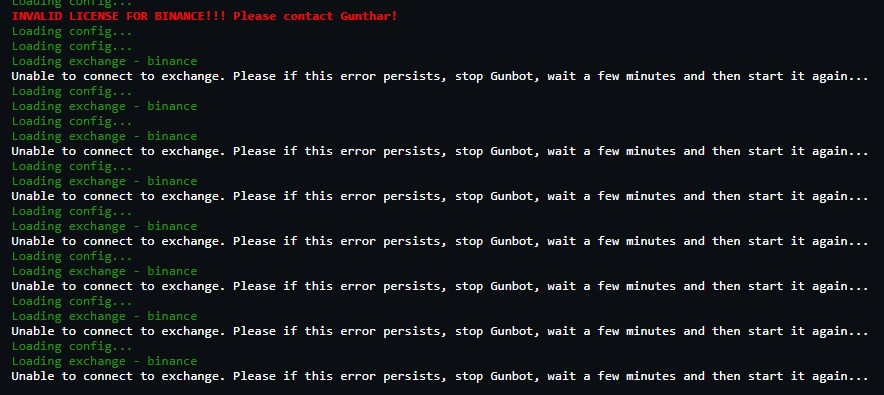
1- If you are running the bot on Binance, most likely the problem is caused by a time synchronization issue. There are 2 ways to fix it. There is a program that automatically syncs the time and fix the error forever. You can download TimeSyncTool here. If you prefer to fix it manually, you can try this:
a) Right click the clock in the task bar and click “Adjust date and time”
b) Disable “Set time automatically”
c) Change the computer time 5 minutes ahead
d) Enable “Set time automatically”
e) Start the bot
2- Be sure your Api key exists, it’s activated, api permissions are properly set and you added your api key as master key and not master key.
3-Be sure your firewall is not blocking port 3000 or ports between 5000 and 6000.
4- Maybe your Api key is temporary banned for doing too many requests / second. Stop the bot for 40 minutes, raise BOT_DELAY +10 seconds and try again. If you still get the same message after some time running the bot, repeat this step raising BOT_DELAY +20 seconds.
5- It’s possible you are getting this message because the Exchange is temporary down or it’s facing server issues. In this case, it would be automatically fixed after some time.
6- If you tried all this steps and you are still getting the same message, most likely your Api key is broken. You can send an email to info@gunbot.shop asking for activation of your new Api key.
 Contact us
Scotty G 8 May, 2018
I had this problem and found the cause to be that I had entered the trading pair incorrectly. I had ALT-BTC instead of BTC-ALT. Deleting the setup and creating a new one solved it for me.
Gwagwa 31 July, 2018
Thank’s a lot, without you comment I was going to switch API keys :)
santi 13 December, 2018
Thank you very much! I was about to change API keys too. Switching coin names within pairs was the right reason.
fwaddyjr 3 December, 2018
Thanks
Chris C 20 December, 2018
The 1st comment “my pair were wrong” fixed it for me…. i had BNB-BTC, but when I switched to BTC-BNB, it worked.
Aitor 27 December, 2018
It’s a bit tricky because pairs on Binance are inverted. So ETH-BTC on Binance = BTC-ETH on Gunbot. Always remember that, on Gunbot, base coin goes first :)
francesco 27 December, 2018
I had a similar issue with Binance. It almost drove me crazy…
During the first run attempt my pair were wrong (BTC-USDT instead of USDT-BTC). Plus I accidentally deleted my master key from binance thinking it was broken. In short: A big mess.
Thanks to the customers support now everything is fixed.