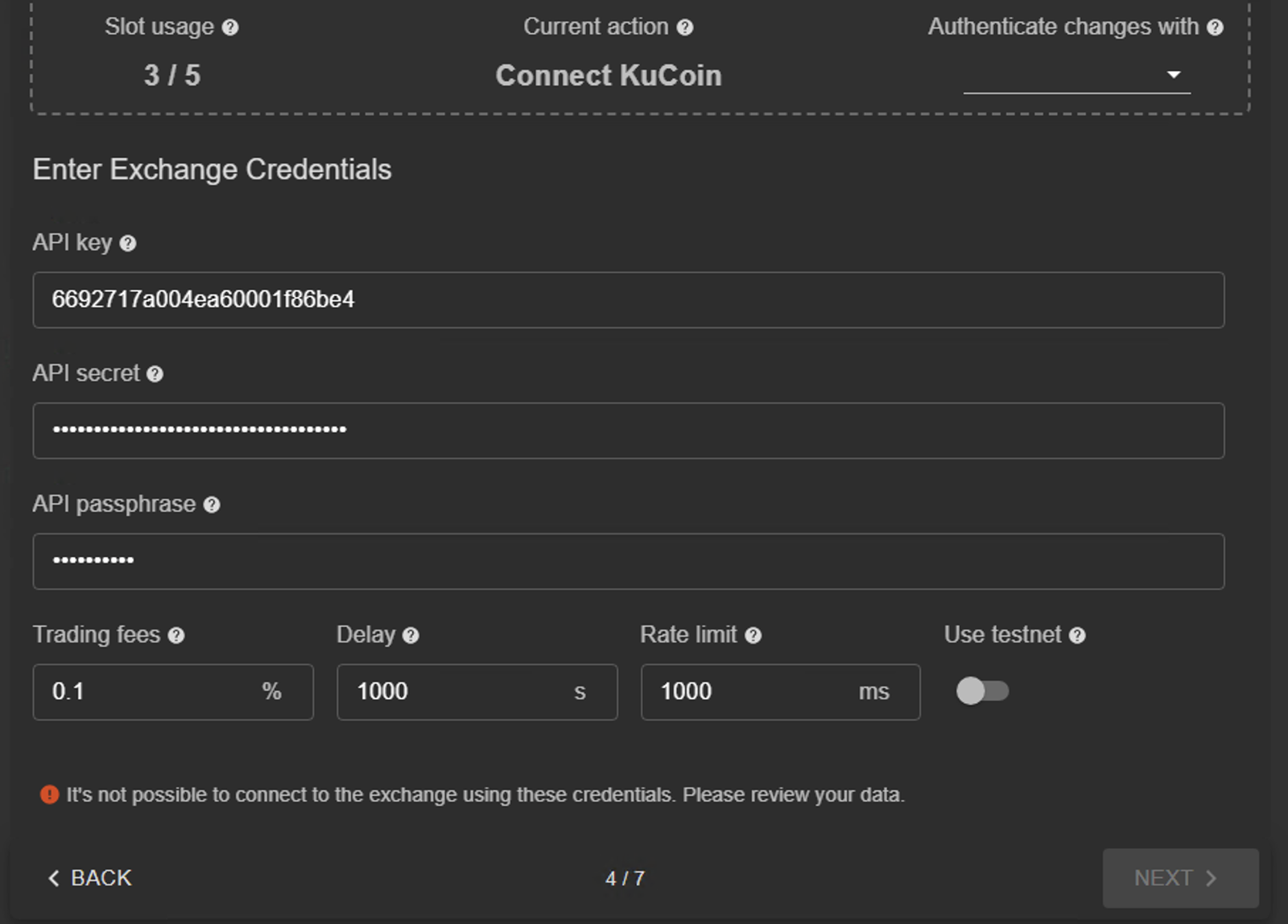
Hi I received a notification from Kucoin to upgrade my V2 API key to V3. In Kucoin website I created a v3 key and entered (by overwriting the V2 details) the details in my Gunbot exchange settings tab. Gunbot gives a message “API credential wrong – Cannot connect” and I can’t set further – how do I upgrade my API from V2 to V3 .
Ok so this has been a disaster. I now have to do a fresh install and am upgrading from V24 to V29. However I just can not past the exchange api screen I can not delete the 2 old exchanges no longer used and the exchange I do use Kucoin still requires me to upgrade the API key from v2 to v3 and I can not get the gunbot set up wizard to accept the new key – any ideas
Hi Paul, send me via PM your gunthy wallet you want to edit, the old api and the new api you need to set, and I will change it for you. Then with one working api, you will be able to do any change yourself.
Make sure your V3 API key has the correct permissions on Kucoin. After updating your API key in Gunbot, double-check both the API key and secret. If the error persists, try regenerating the V3 key and re-entering it in Gunbot’s settings. If the issue continues, consider reaching out to Gunbot support to ensure compatibility with the new API version.




 Contact us